WordPress.com vs WordPress.org: What's the Difference?
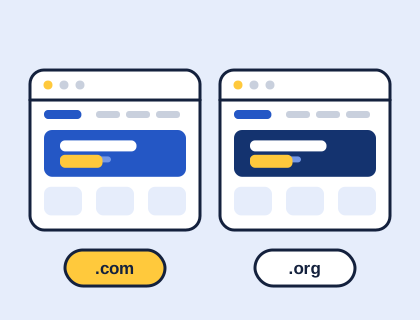
WordPress.org is free software you install on your own hosting. WordPress.com is a commercial service that hosts WordPress for you. Here is how they differ.

By Steve, Founder and editor, website developer
Updated
· Last reviewed · 2 min read
In short
- WordPress.org is where you download the free, open-source WordPress software to run on hosting you choose.
- WordPress.com is a commercial service that runs WordPress for you, with free and paid plans.
- On WordPress.com, uploading your own theme needs a paid plan: Personal, Premium, Business or Commerce.
- Self-hosted WordPress gives you full control over themes, plugins, data and hosting.
What is the difference between WordPress.com and WordPress.org?
WordPress.org is the home of the WordPress software itself: free, open-source code that you install on a web host of your choice. You're in charge of everything, including hosting, updates and backups. This is often called "self-hosted WordPress".
WordPress.com is a commercial hosting service that runs WordPress for you. You sign up, choose a plan and start building; the service looks after the hosting, security and core updates. It's convenient, but what you can do depends on your plan.
How do they compare?
| Self-hosted (WordPress.org) | WordPress.com | |
|---|---|---|
| Software cost | Free | Included in the plan |
| Hosting | You choose and pay a host | Included |
| Uploading your own theme | Always | Paid plans (Personal and above) |
| Installing plugins | Always | Depends on plan; check the current plan details |
| Updates and backups | Your job (or your host's) | Handled by the service |
| Access to files and database | Full | Limited, depending on plan |
| Moving away later | Move host any time | Export your content to self-hosted WordPress |
Plans and prices change, so check WordPress.com's own plan pages before you decide.
Can I use themes from this site on WordPress.com?
Yes, on a paid plan. WordPress.com's support pages say theme uploads are available on the Personal, Premium, Business and Commerce plans, and that free sites need to upgrade to use the feature. On self-hosted WordPress you can upload any theme straight away in Appearance › Themes › Add Theme › Upload Theme.
Which should you choose?
- Choose self-hosted WordPress if you want full control, plan to use particular plugins or a custom theme, run a shop, or want to choose your own host and keep costs predictable.
- Choose WordPress.com if you'd rather not think about hosting, updates or security at all, and the features of your chosen plan cover what you need.
Neither choice is permanent. Your content can be exported from one and imported into the other using the tools in Tools › Export and Tools › Import.
Where to go next
Going self-hosted? Read choosing WordPress hosting in the UK and then how to start a WordPress website.
Questions and answers
Will the themes work on WordPress.com?
Yes, on a paid WordPress.com plan. WordPress.com allows theme uploads on its Personal, Premium, Business and Commerce plans; free sites need to upgrade. WordPress.com vs WordPress.org.
Sources and further reading
Didn't find your answer?
Ask us anything about WordPress or the theme builder. We answer the most useful questions here, so others can benefit too.